STAY IN YOUR FLOW01
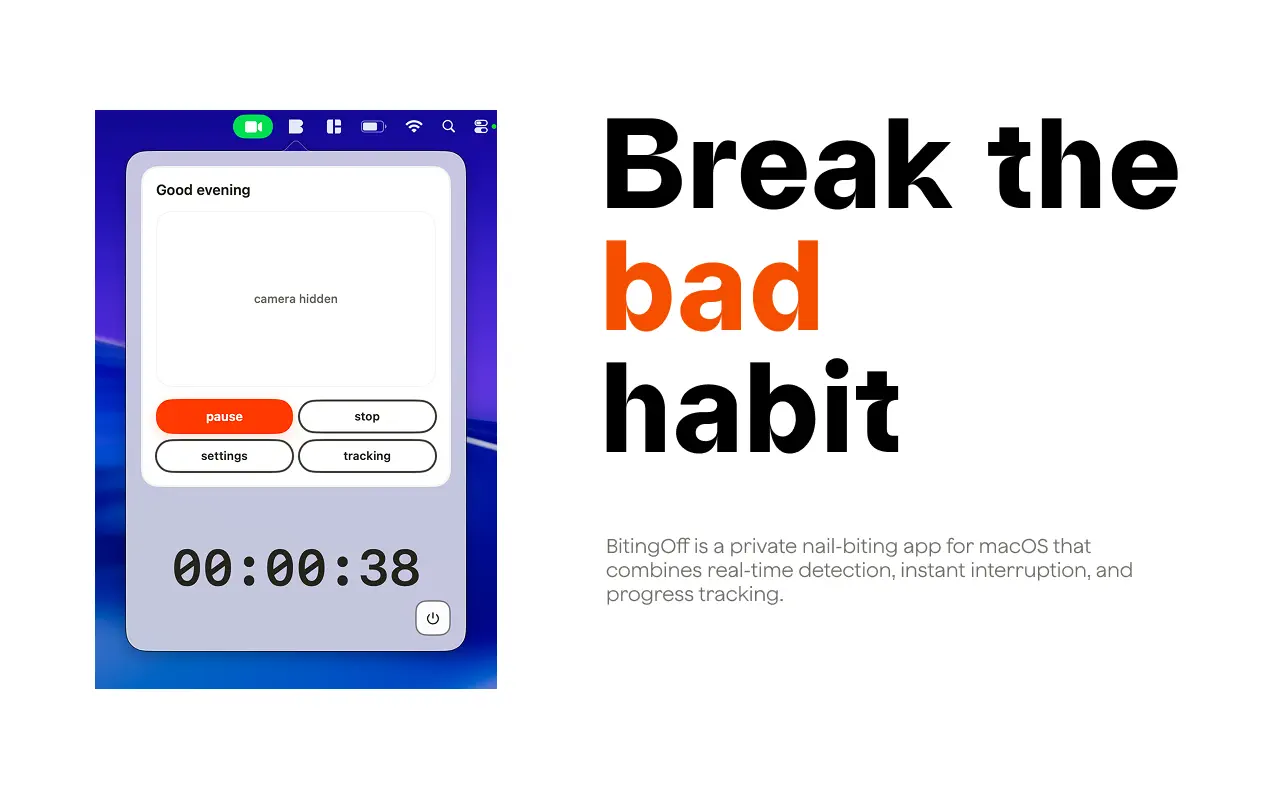

A little awareness goes a long way.
Start a session and get back to what matters. BitingOff notices hand-to-mouth movements and nudges you when you need it.
Meet BitingOff for macOS. Real-time awareness, personal reminders, and a clearer picture of your habits. All on your Mac.
Available on the Mac App Store
Catch the bad habit. Choose your reminder. See your patterns. A native Mac companion that fits into your everyday routine.
Start a session and get back to what matters. BitingOff notices hand-to-mouth movements and nudges you when you need it.

Choose sound or visual alerts, record your own reminder, and adjust the detection sensitivity to work for you.
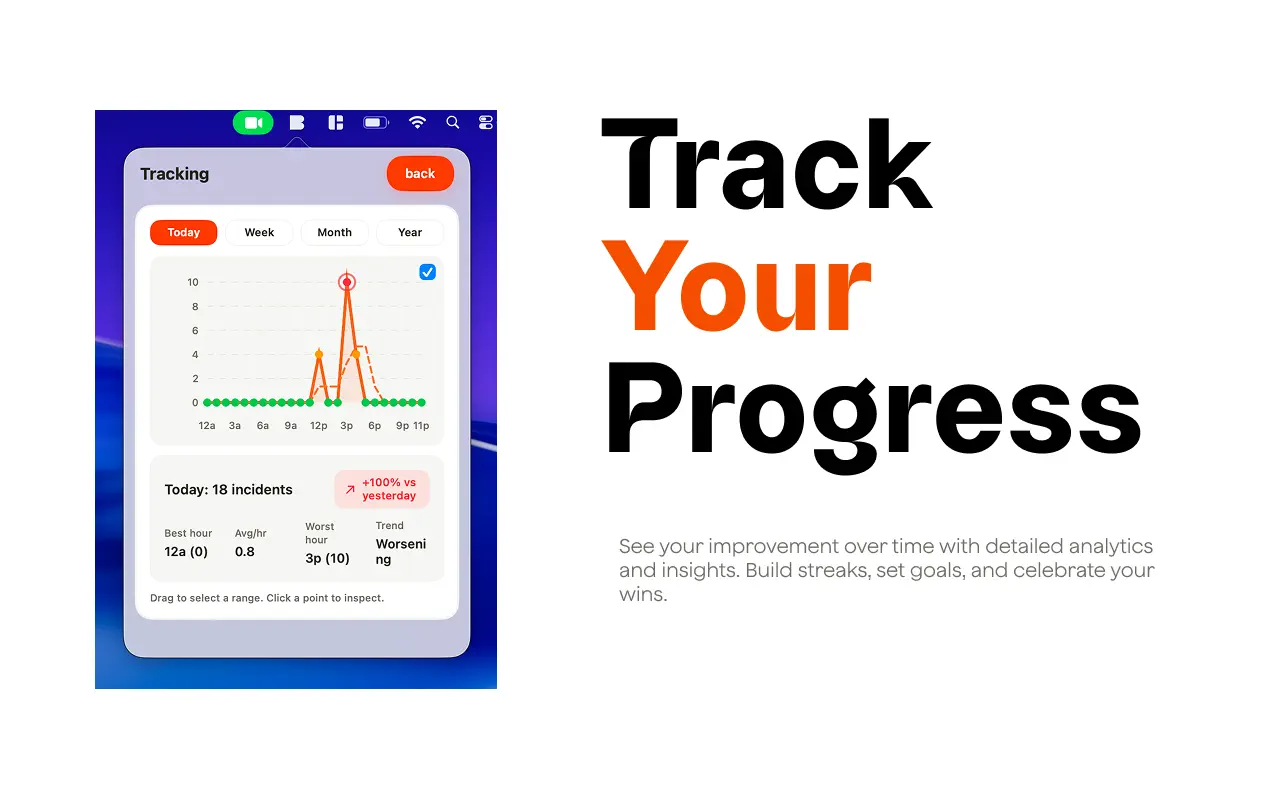
Explore your incident history by day, week, month, or year. Get to know the moments when your hands start to wander.
Actual app screens with example sessions. Camera preview uses a fictional person.
PERSONAL BY NATURE. PRIVATE BY DESIGN.
Your camera helps you notice the habit. All detection happens on your Mac, and your video stays there. Just a little support, with your privacy built in.
START SMALL
Download BitingOff from the Mac App Store. It lives in your menu bar, ready when you are.
Allow camera access and start a session. Detection runs locally while you go about your day.
When an alert catches your attention, take a breath, lower your hand, and keep doing your thing.
A FEW THINGS TO KNOW
BitingOff uses your Mac's camera to notice hand-to-mouth movements. When a movement matches your detection settings, it plays a sound or shows a visual alert to help you notice the habit. You can adjust sensitivity and alerts in Settings.
No. Camera frames are processed on your Mac for detection. BitingOff does not upload your camera feed to a server, and your settings and incident history stay on your device.
Yes. Turn off Show camera in Settings to hide the live preview. Detection can continue while the preview is hidden; you can pause or stop your session at any time.
Yes. Once installed, detection, alerts, and progress tracking work offline. You need an internet connection to download the app from the Mac App Store.
BitingOff is a habit-awareness tool, not a medical treatment. It helps you notice hand-to-mouth movements and understand your patterns. It does not diagnose conditions or guarantee that you will stop biting your nails.
BitingOff is currently available for Mac. Visit the Mac App Store listing to check compatibility with your device.
HERE'S TO SMALL BEGINNINGS
A little nudge today. A little more awareness tomorrow.
Download for Mac Available on the Mac App Store